Text (double-click to edit). Lorem ipsum dolor sit amet, consectetur adipiscing elit, sed do eiusmod tempor incididunt ut labore et dolore magna aliqua.
HOME | ABOUT | BUY-NOW | HOW IT WORKS | INSTALL INFO | Q & A | CHANNELS | PRIVACY | CONTACT

How to turn on Developer options
1. Press the Home button on the Firestick Remote, Then go all the way right and open the Settings area. Then select My Fire Tv
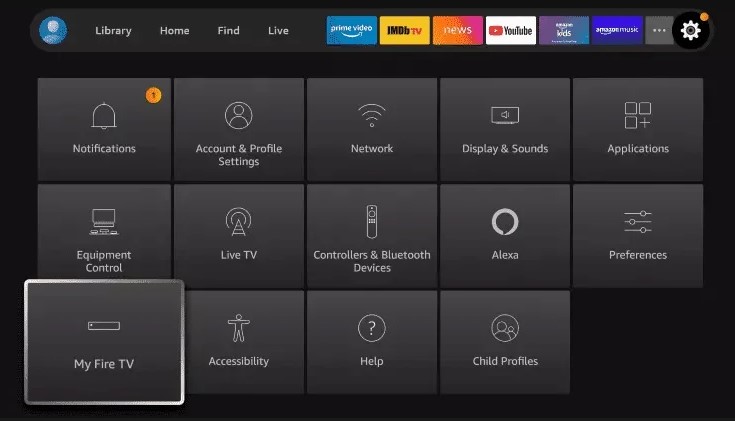
2. Then you will you should see the screen below. If you do not have Developer options on this list then click on "About".
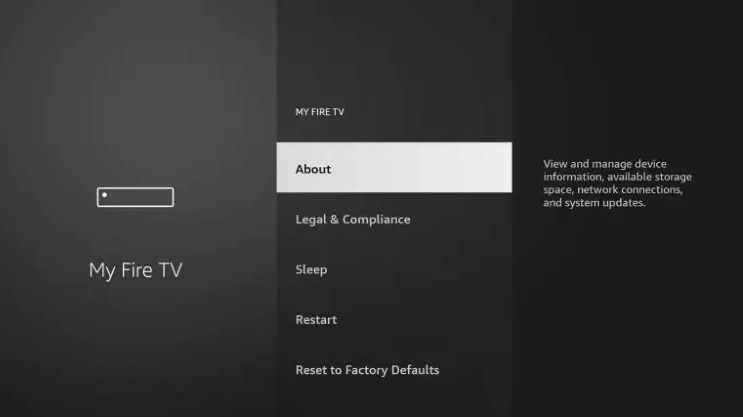
3. Select "Fire Tv Stick" and click the ok / enter button on your remote 7 times or until is says you are now a developer
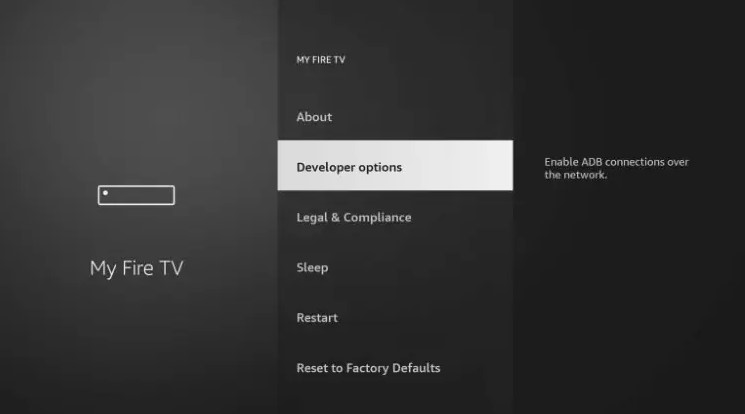
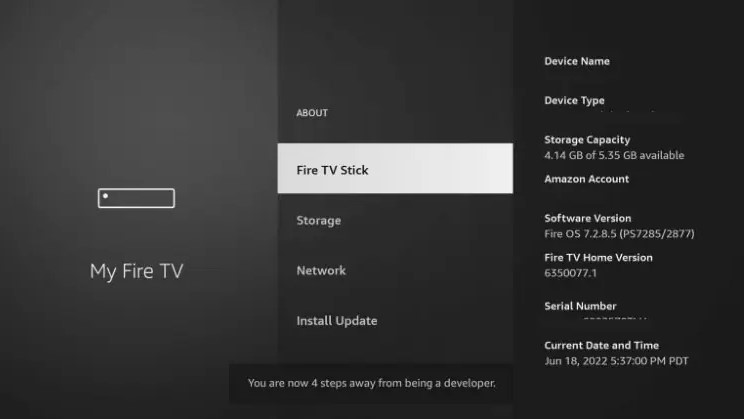
4. Hit the back or return button on your remote and you should see the Developer option in the list as shown below.
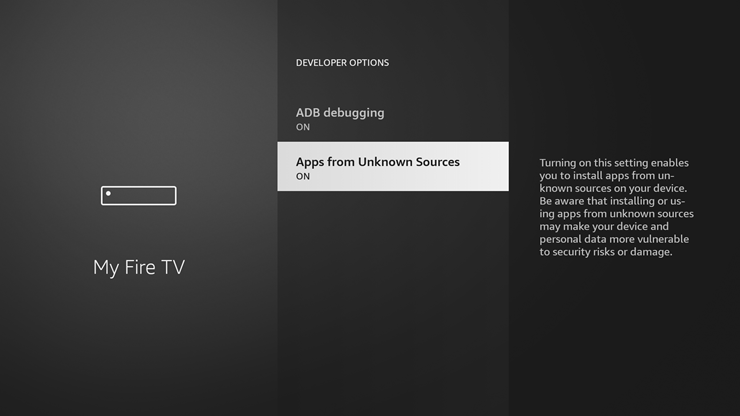
5. Open Developer options and please turn on both ADB debugging and Apps From Unknown sources.